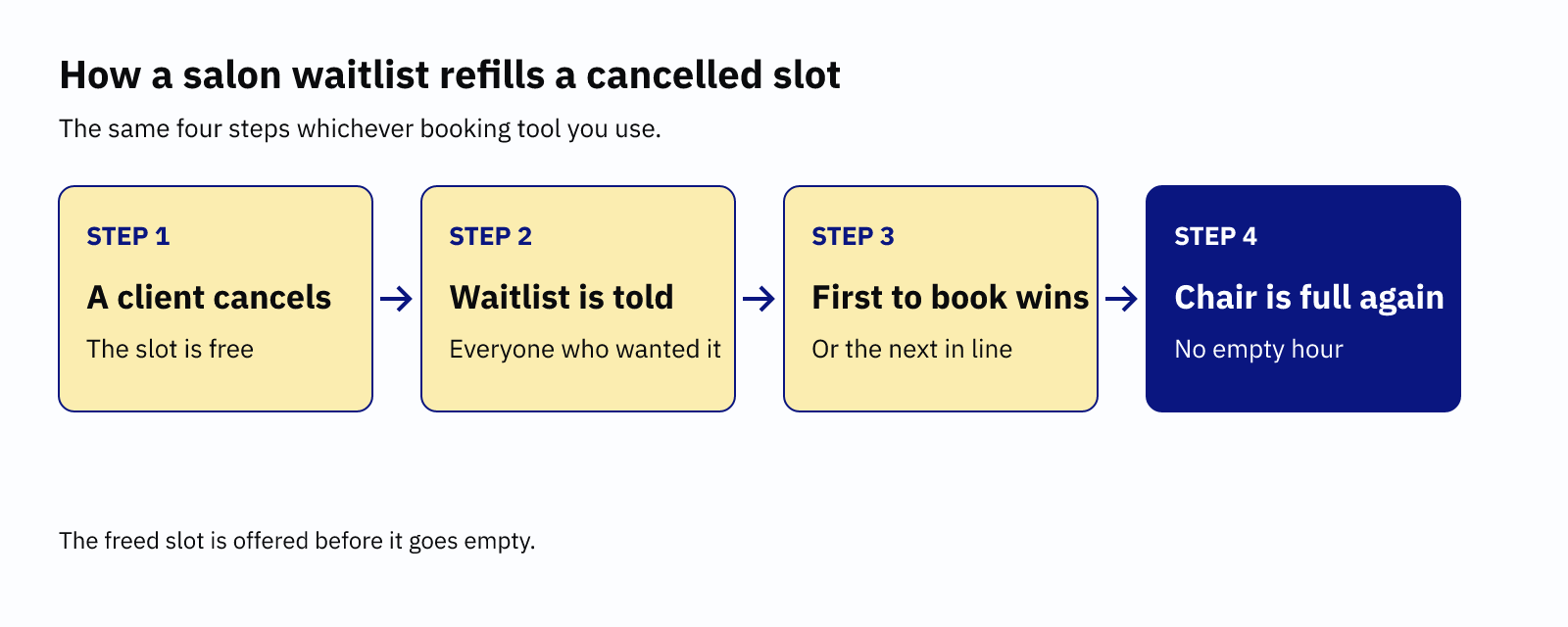
A salon waitlist is a list of clients who want a slot that is already taken. When someone cancels, you offer the freed slot to the list before it goes empty. Setting one up takes six steps. Choose the slots you will offer, decide how clients join and set a notice period. Then pick who goes first, write the offer and test the flow.
None of it needs more than an hour. It matters because a late cancellation leaves a gap you cannot refill by posting on Instagram.
Why a salon waitlist fills gaps you cannot fill yourself
Cancellations cost real money. Fresha surveyed over 200 UK beauty and wellness businesses in December 2025. It found that hair and beauty businesses lose about 7% of monthly revenue to them. Fresha sells booking software, so treat the figures as self-reported.
The timing is the harder problem. The same report says one in five cancellations lands with less than half a day to react. That is too late for a new booking to arrive on its own. A waitlist solves this because the people on it have already said yes to your salon.
Reminders still come first. A Cochrane review of text reminders found attendance rose from 67.8% to 78.6%. That is healthcare, not hair. Yet it shows that prevention helps, but it never gets you to zero. A salon waitlist handles what is left.
How to set up a salon waitlist in six steps
1. Decide which slots you will offer
Start with the slots that hurt most. Colour, extensions and long treatments leave the biggest holes. A 15-minute fringe trim barely needs a waitlist.
Keep the list short at first. You can add services once the habit sticks.
2. Choose how clients join
Most tools let clients join from your booking page. Fresha lets clients join the waitlist from your online booking page, and Square shows a "Join Waitlist" prompt. You can also add clients yourself when someone asks over the phone or in the chair.
Always ask for a date range, not one exact time. SchedulingKit's guide says it plainly:
Allow clients to set a range of acceptable times, it increases fill rates.
That is a vendor tip, so test it on your own diary. Even so, the logic holds, because a client who accepts three days fits more cancellations than one who accepts one.
3. Set a notice period
Your cancellation notice decides how much warning you get. A 24-hour rule gives you a day to refill. A two-hour rule gives you almost nothing.
If you charge for late cancellations, keep the charge fair. GOV.UK guidance says a cancellation charge must be a genuine estimate of the business's direct loss. A waitlist shrinks that loss, so the two work together. Our guide to writing a no-show policy covers the wording.
4. Pick who gets the offer first
You have three choices. Fresha's help page lists them as first in line, highest value or offer to all. With offer to all, the first client to book gets the slot.
For a small salon, first in line is fairest. Clients wait their turn, so nobody feels beaten by a faster thumb. Offer to all suits a busy, larger team. Highest value can feel unfair to loyal regulars on cheaper services.
5. Write a clear offer message
An offer needs the service, the time and a deadline. Without a deadline, the slot sits idle while someone decides. SchedulingKit's guide calls this a claim window. It is the time a client has before the slot moves on.
Good news, a slot has opened. Your cut and colour is free on Thursday at 2pm. It's yours if you book within 30 minutes. After that, I'll offer it to the next person on the list.
Thirty minutes suits a same-day slot. For a slot next week, give them a few hours instead.
6. Test it before clients see it
Book a test slot and join the waitlist with your own email. Next, cancel the booking. Then check that the offer arrives and that the link works. SchedulingKit recommends the same test of the full flow. Do it once a quarter as well, because settings change.
What salon waitlist features look like in common tools
Plans and menus change, so check each tool's own page before you commit. We checked these facts on 15 October 2026.
| Tool | How its waitlist works | Plan or catch |
|---|---|---|
| Fresha | Clients join online. You choose first in line, highest value or offer to all. | Its update messages can use email, text or WhatsApp. |
| Square Appointments | Clients join from the booking site, or you add them. You can switch on opening notifications. | Plus and Premium plans. Not for classes. |
| Acuity Scheduling | Clients pick times they want. The first to complete the booking gets the slot. | Standard and Premium plans, with SMS enabled. |
| Aasure | Aasure emails the client a link to book the offered time. Set Slot offers to Automatic and freed times go out on their own. | Email only. Every feature is on every plan, with 0% commission. |
Aasure's own limits are worth stating. It sends email, not text or WhatsApp. If your clients live on text messages, check that before you choose.
Salon waitlist mistakes that cost you bookings
Three habits break a salon waitlist. First, owners forget to remove clients who have already rebooked, so the same person gets offers they no longer want. Second, they offer slots with no deadline. Third, they never look at who joins.
That last one is the useful one. If six clients keep asking for Saturday mornings, your diary is telling you something. Note the pattern, and you will see which days to open up. Our independent salon owner guide covers the wider picture of getting booked and paid. If you are comparing tools, see the best salon software in the UK.
Start small and set it up this week. One fair rule, one clear message and one test will refill more chairs than another week of hoping.
Let a cancelled slot offer itself to your waitlist.
In Aasure, a cancelled slot is offered to your waitlist on its own. Every feature is on every plan, with 0% commission and no setup fee. The first 200 sign-ups get a 60-day free trial. After that, every plan starts with 30 days. You need no card.
Sign up