You can switch booking software without losing clients if you run both systems side by side for a short time. New bookings go to the new system only. Meanwhile, old bookings stay where they are until they happen. One clear message tells clients what changed. For most small businesses, the whole move takes about three weeks.
Many owners stay on software they dislike because they fear the switch. They picture lost clients, missing bookings and a week of confused messages. In practice, the data is the easy part. The real risk is a fortnight where clients are unsure which link to use. This guide shows you how to remove that risk, one week at a time.
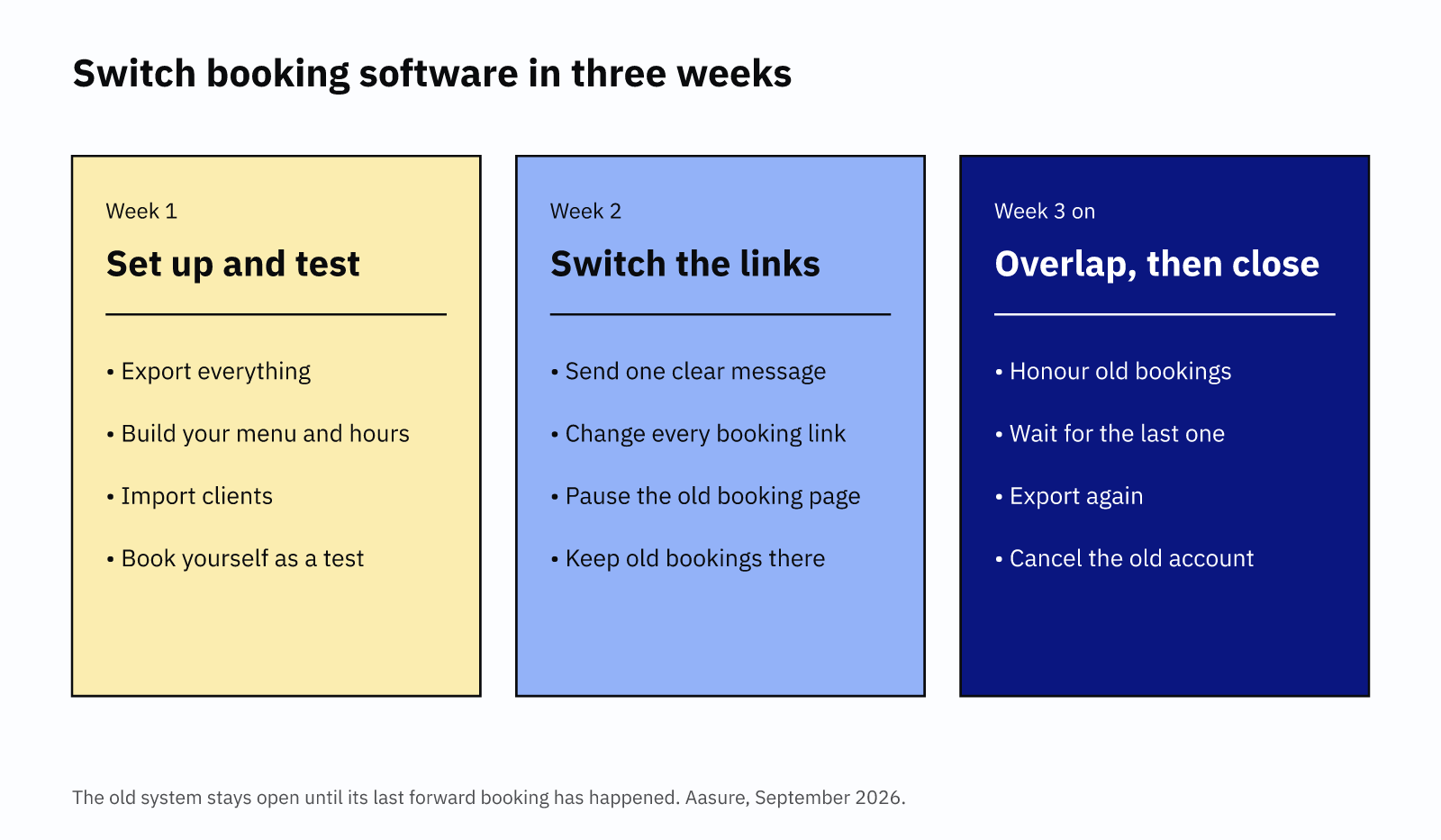
What owners fear when they switch booking software
Owners usually worry about three things. First, losing their client list. Second, double bookings while two systems run. Third, clients who feel confused and quietly drift away.
That last fear is the one worth taking seriously. After all, keeping a client costs far less than finding a new one. Harvard Business Review puts a new customer at five to 25 times the cost of keeping one. So a switch that loses even a few regulars can wipe out a year of savings.
Fortunately, the first two fears are easy to fix. Most platforms let you download your clients as a spreadsheet. Double bookings only happen when both systems take new bookings at once. So the plan below makes sure that never happens.
Choosing the right week to switch booking software
Timing makes the whole move easier. So pick a quiet stretch, not your busiest month. For most salons, that rules out the run-up to Christmas. For wedding photographers, it usually rules out summer.
Next, check when your current plan renews. If you switch booking software just after a renewal, you get a full month of overlap without paying twice. Read your contract as well, because some annual plans charge a fee to leave early.
If you have staff, tell them before you tell clients. Show them the new diary, and let each person book a test appointment. Then agree who answers client questions during switch week. As a result, your team gives the same answer every time.
Lastly, block an hour in your own diary for switch day. You will need it to change links and answer replies.
Week 1: export everything, then set up and test
Start with the export, before you change anything else. Before you switch booking software, download a full copy of your data while your old account is still open.
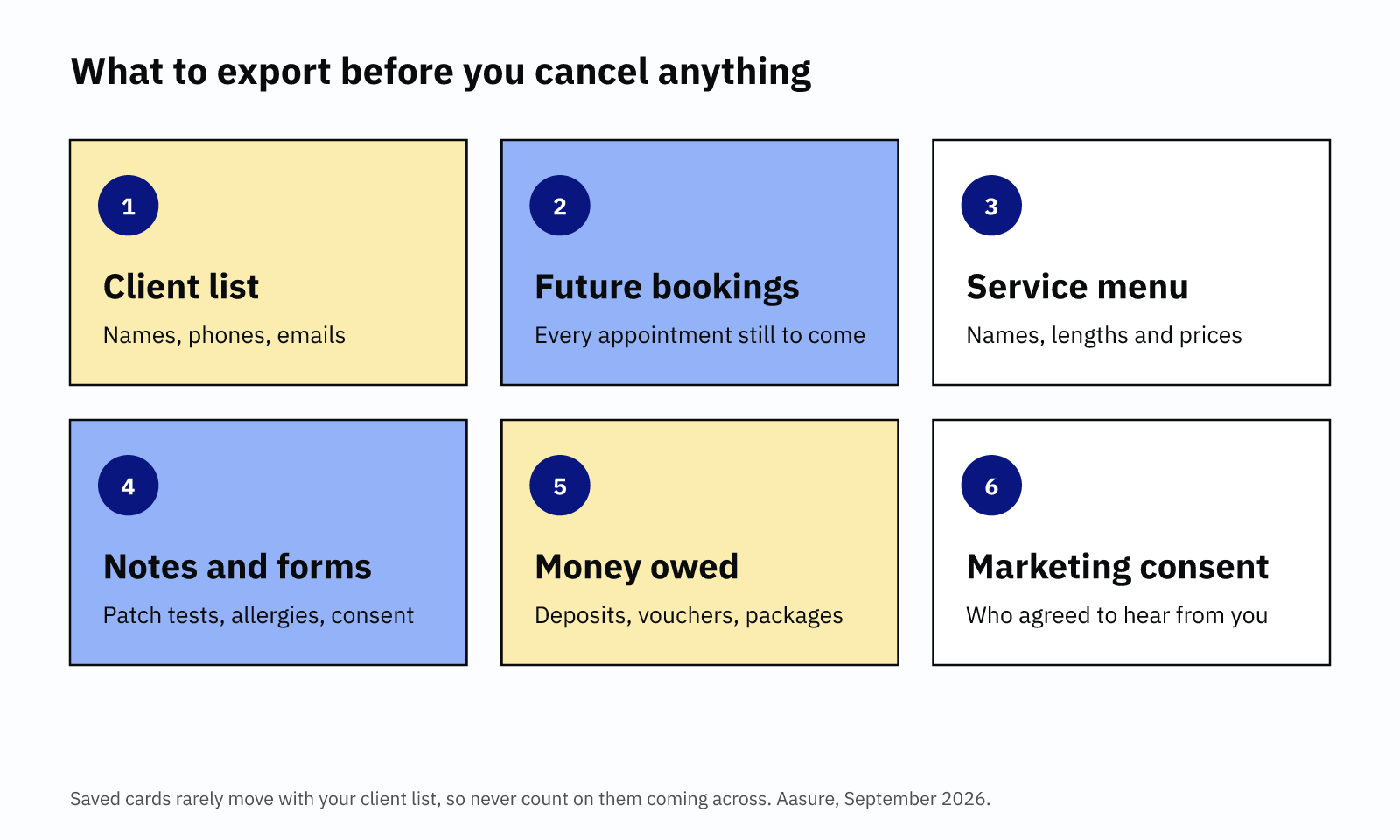
What to export
- Your client list. Names, phone numbers and emails. For example, Fresha exports your client list as Excel or CSV.
- Future appointments. Every booking still to come, with dates and times.
- Your service menu. Names, lengths and prices, so you can rebuild it quickly.
- Client notes and forms. Patch tests, allergies and consultation forms.
- Money you owe clients. Deposits held, gift vouchers and unused packages.
- Marketing consent. Who agreed to receive offers from you.
Saved cards are the awkward part. Fresha says it cannot export or transfer card details, for security reasons. Square will move saved cards, but only to another approved payment processor, and it takes up to two weeks. So when you switch booking software, expect some clients to add a card again, and warn them early.
You are also responsible for this data. Under UK GDPR, you are usually the controller of your clients' details, not the software company. So store the export safely, and delete spare copies once you have imported it. Our GDPR guide for private practice covers the basics.
Set up and test the new system
Next, build the new system. Add your services, prices, opening hours and deposit rules. Then import the client list. Finally, before you switch booking software for real, book a test appointment from your phone. Check the confirmation, the reminder and the payment. If anything looks wrong, fix it now, while nobody is watching.
Week 2: switch booking software links and tell clients
Week 2 is the switch itself. Do these three things on the same day.
First, turn off new online bookings in the old system. Keep the account open, though, along with its existing appointments. That way, nobody can book the same slot twice while you switch booking software.
Second, change every booking link. Most clients book from the same few places:
- Your Instagram "Book now" button. Instagram's help centre shows how to edit it.
- Your Google Business Profile booking link. Google explains how to change it.
- Your website, link-in-bio page and email signature.
- Any saved replies in WhatsApp or Messenger.
Third, send one clear message to all your clients. Keep it short and practical. A message about how to book with you is service information. In fact, the ICO says the law does not stop you telling customers what they need to know. However, add an offer and it counts as marketing. So keep promotions out of it.
The message to send clients
Hi [first name], a quick update from [business name]. From [date], I'm taking bookings through a new system. Your existing appointments stay exactly as they are, so you don't need to do anything. For new bookings, please use this link: [new link]. If you had a card saved with me, you may need to add it again. Any questions, just reply here. Thank you!
This message works because it answers "what about my booking?" before anyone asks. It also gives one link, not two. Finally, it warns about the card, so nobody gets a surprise at checkout.
After that, pin the new link wherever clients look. Add it to your Instagram highlights and your voicemail, too. When you switch booking software, people miss messages, but they notice a pinned post.
Week 3 onwards: run both systems for a short overlap
Now you run two systems, but only one takes new bookings. The old one simply holds the appointments made before the switch. As each one happens, it clears. Meanwhile, every new booking lands in the new system.
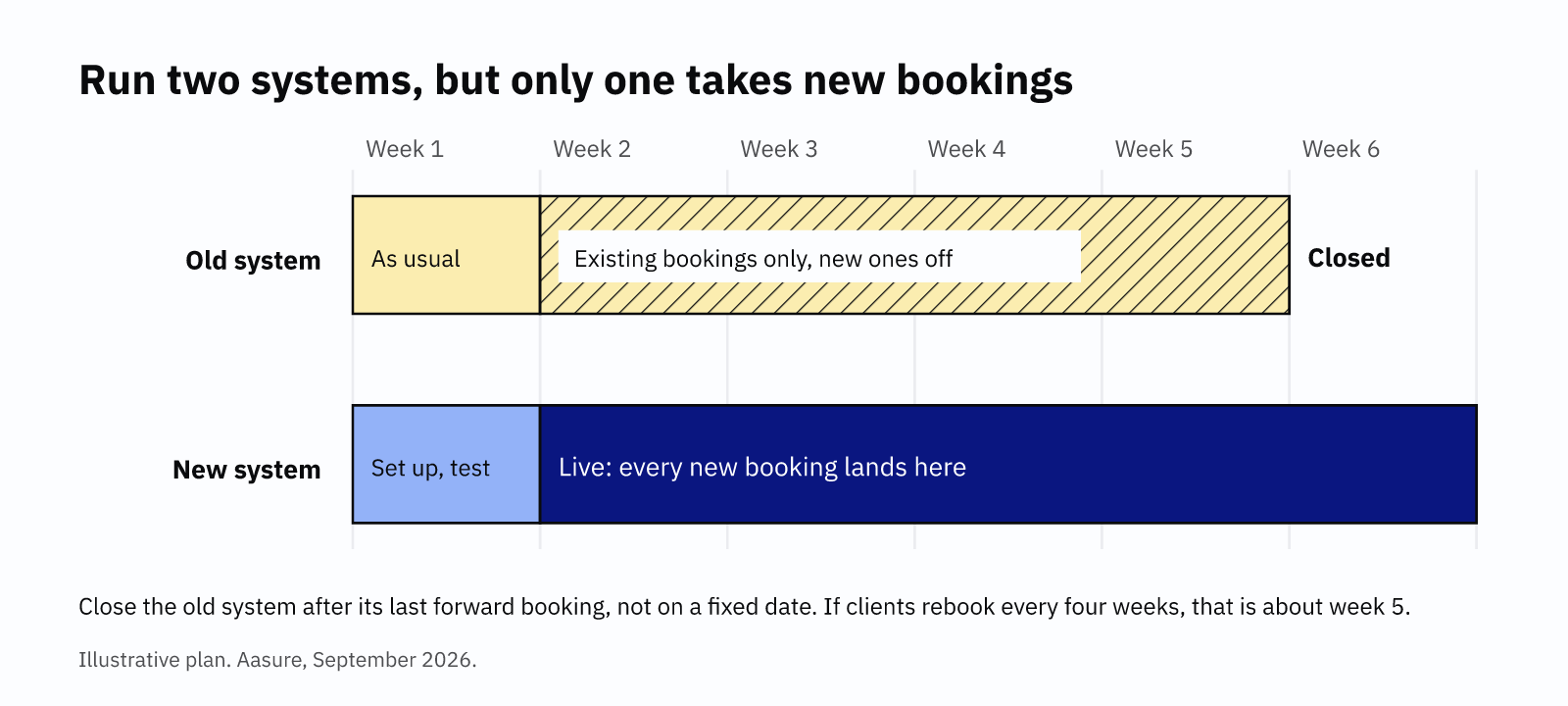
Check both diaries each morning. It takes two minutes. Some owners also copy old appointments into the new system as blocked time. That way, one diary shows the whole week, and a double booking becomes impossible.
If a client moves an old appointment, book the new time in the new system. Then cancel it in the old one. Over time, the old diary empties by itself.
Reminders matter even more when you switch booking software, because clients have more to remember. Take an NHS trial with the Behavioural Insights Team. There, a clear text reminder cut missed appointments from 11.1% to 8.4%. The trial covered about 20,000 patients. So make sure both systems keep sending reminders until the overlap ends. Our no-show policy guide covers what to say.
What to check before you close the old account
Once you switch booking software, close the old account after its last forward booking, not on a fixed date. If most clients rebook every four weeks, that is about week five. Before you cancel, work through this list.
- The last booking has happened. Search the old diary for any future dates.
- Every payout has landed. Check that deposits and card payments reached your bank.
- You have moved vouchers and packages. Record every unused balance in the new system.
- You have a final export. Download clients, history and reports one last time.
- You have saved your reviews. Screenshot any reviews that live only on the old platform.
- You know the notice period. Some contracts need notice, so check yours first.
Then keep that final export somewhere safe. GOV.UK says self-employed people must keep business records for at least five years. That runs from the 31 January deadline for each tax year. Old booking reports can help prove your income.
Finally, if cost is why you want to switch booking software, check the numbers first. Our free Real Bill Calculator shows what your current software really costs each year. For salons, our comparison of nine UK platforms shows which suits whom. And if commission is the problem, read about booking commission fees before you decide.
Common questions
How long does it take to switch booking software?
About three weeks for most small businesses. You spend one week setting up and testing, and one switching links and telling clients. Then the old system runs until its last booking happens. That overlap depends on how far ahead your clients book.
Will I lose my client list if I switch?
No, as long as you export it first. Fresha, for example, exports clients as Excel or CSV, and most platforms offer something similar. Saved card details are the exception. They rarely move with the list, so plan for clients to add a card again.
Should I cancel my old booking system straight away?
No. Keep it open until its last forward booking has happened. On switch day, turn off new online bookings in it, so only the new system takes bookings. Then, once the old diary is empty, take a final export and cancel.
Do I need consent to tell clients about a new booking system?
Usually not. The ICO says data protection law does not stop you telling clients what they need to know. A message about how to book counts as service information. But once you add an offer or promotion, the ICO treats it as marketing.
Know what your software really costs.
The free Real Bill Calculator adds up subscription, marketplace commission and card processing. It shows what you pay each year, so you can decide whether a switch is worth it.
Work out your real bill